
Post to TikTok from your desktop
Framelsy is a macOS app for creators and small brands. Prepare a video or photo carousel, review every setting, and post it to your own TikTok account, or send it to your drafts to finish in the TikTok app.
Free to use. Requires a TikTok account.
How it works
- 1
Sign in with TikTok
You approve access on TikTok’s own website. Framelsy never sees your password.
- 2
Prepare your post
Choose a video (MP4 or MOV) or up to 35 photos, preview it, and write your caption. Optional suggestions can help with the words.
- 3
Review and choose
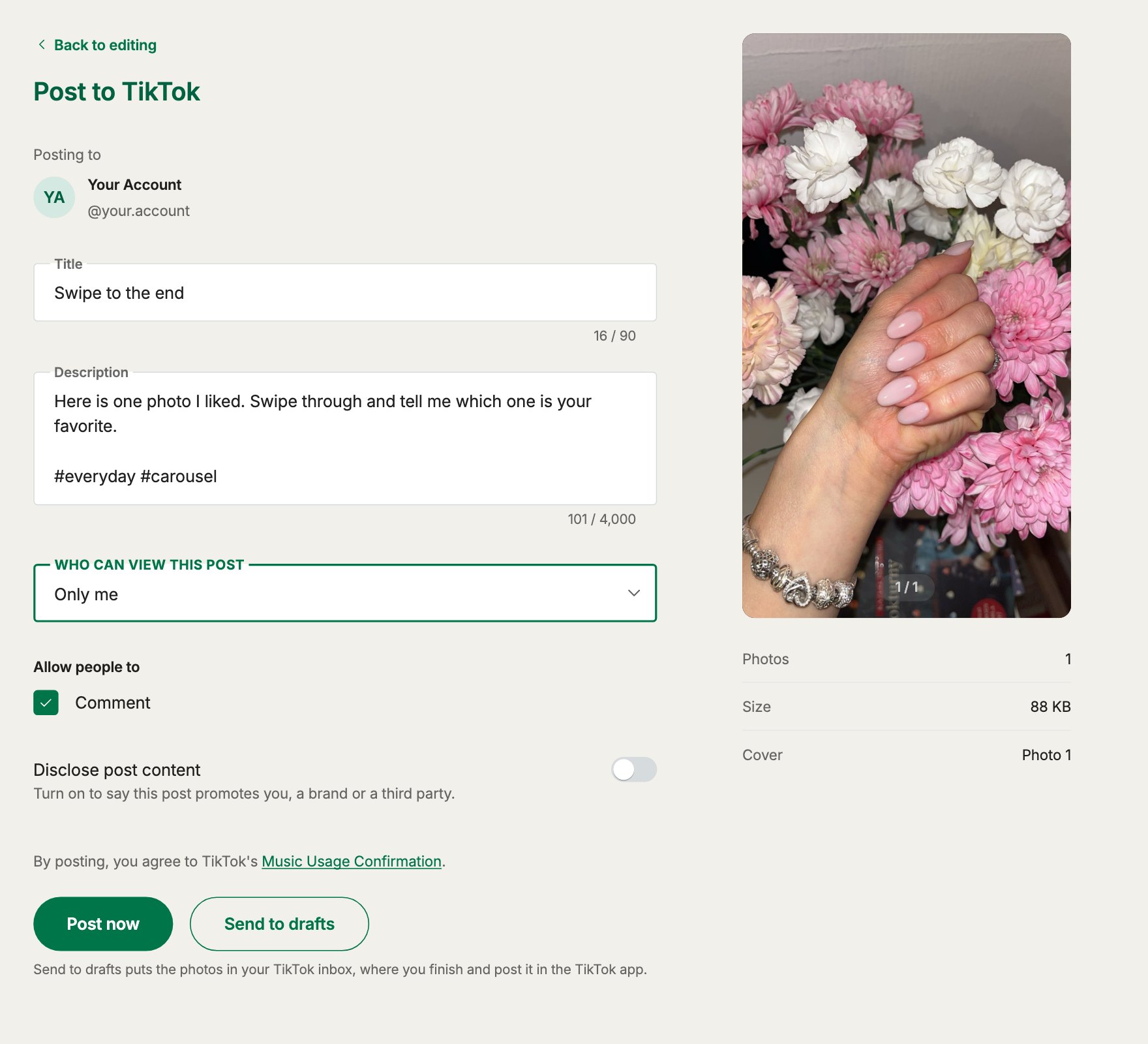
See which account you are posting to, pick who can view the post, set comments, Duet, and Stitch, and disclose promotional content.
- 4
Post or send to drafts
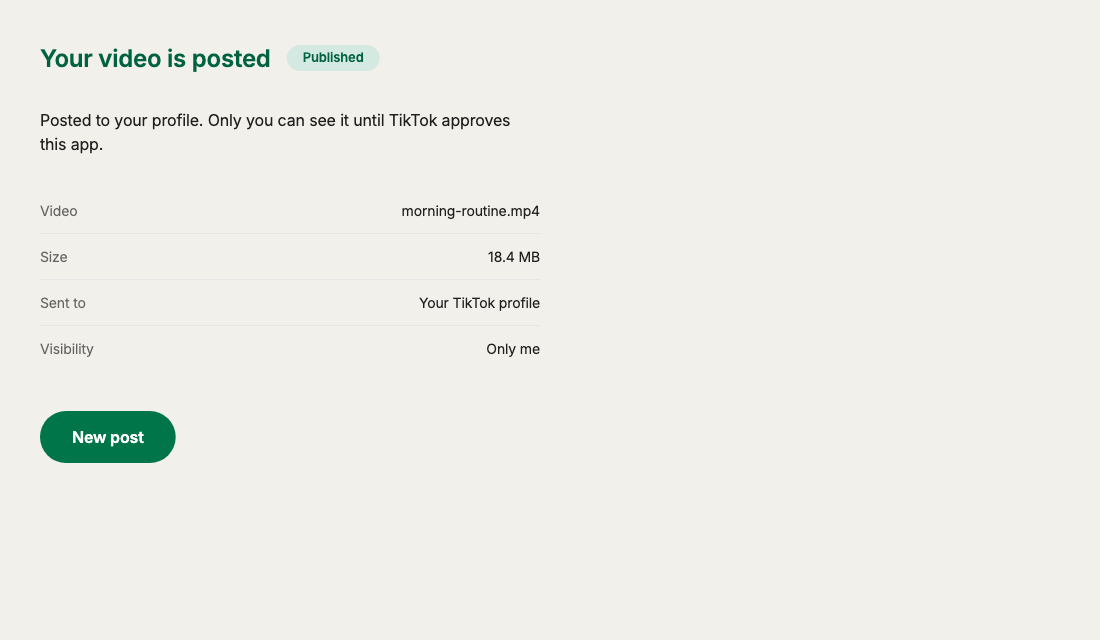
Post right away, or send the post to your TikTok drafts to finish in the app. Follow the progress until TikTok confirms it.
Made for careful posting
Videos and photo carousels
Post a video up to TikTok’s limits, or a carousel of 1 to 35 photos with a cover of your choice.
Your account, your settings
Privacy options and interaction settings come from your own TikTok account. Nothing is chosen for you.
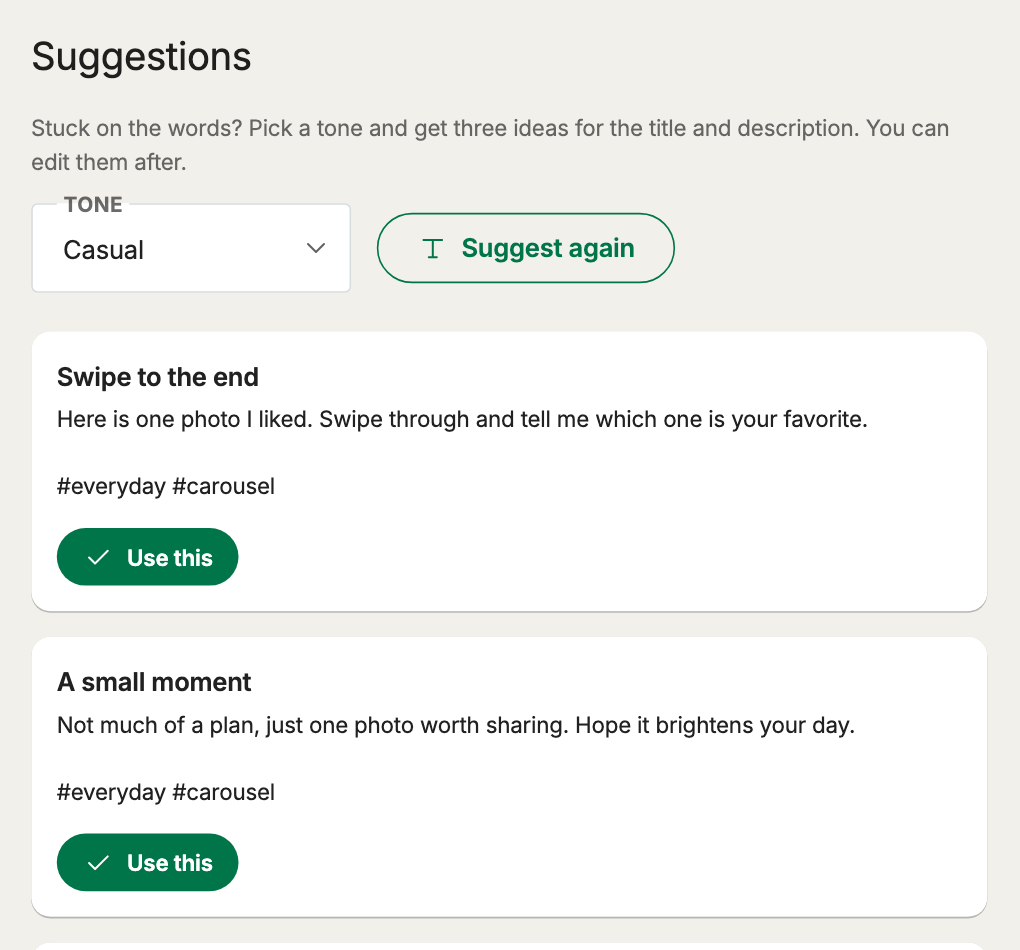
Suggestions for titles and captions
Pick a tone and get three ideas for the title, description, and hashtags. Use one, edit it, or ignore them.
Progress and history
See each upload as it happens, and keep a private list of what you posted on your own computer.
Nothing posts by surprise
Framelsy publishes only after you choose Post now or Send to drafts. It never posts for you in the background.
Light on data
Your access token lives in memory only, videos go straight to TikTok, and there are no ads or trackers.
A look inside

What Framelsy asks TikTok for
Framelsy requests only these three permissions and uses each one for a single purpose.
- user.info.basic
- Shows your TikTok name and avatar so you always know which account you are posting to.
- video.publish
- Posts the video or photo carousel you prepared to your account when you choose Post now.
- video.upload
- Sends the video or photos to your TikTok drafts when you choose Send to drafts.
Questions
Does Framelsy post without my approval?
No. Nothing is sent to TikTok until you choose Post now or Send to drafts, and you can review everything first.
Does Framelsy see my TikTok password?
No. You sign in on TikTok’s website and approve a limited set of permissions. You can end the connection at any time with Sign out in Framelsy or from your TikTok account settings.
Where do my videos and photos go?
Videos go straight from your computer to TikTok. Photos for a carousel are stored briefly on our cloud storage so TikTok can download them, then deleted.
Why can I only choose “Only me” right now?
TikTok limits every new app to private posts until the app has passed TikTok’s audit. After that, the visibility options your account allows become available.
More in our Privacy Policy and Terms of Service, or write to twincodecorp@gmail.com.